


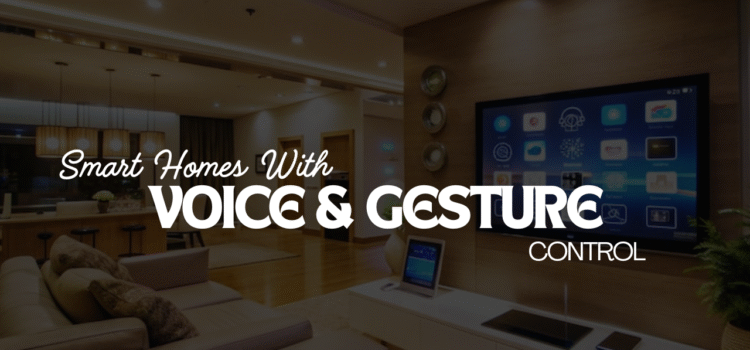
Smart homes are no longer about pressing buttons on a screen. Voice and gesture control are changing how people interact with devices at home. Speaking a command or waving a hand is faster than tapping an app. These new ways of control make homes feel more natural and easy to use.
The Rise of Gesture Control
Voice assistants like Alexa, Siri, and Google Assistant have been around for years. In 2025, they are more accurate and reliable than before. Many devices now support voice commands, from lights to ovens. You can ask your assistant to lock the door, dim the lights, or adjust the thermostat. What makes voice control powerful is its simplicity. No need to search for a phone or remote. A spoken command is enough. This allows people of all ages to use smart home features without learning complex.
Gesture Control In Everyday
Imagine walking into your kitchen with full hands. Instead of fumbling with switches, you say, “Turn on the lights.” When going to bed, a simple, “Good night,” locks the doors and turns off devices. Voice control makes routines smoother. It also helps in security. If you hear a noise outside, you can say, “Show front camera,” and the feed appears on your TV or smart screen. This reduces delay and improves safety.
Gesture Control Benefits
Voice control is not just about convenience. It is a major help for people with limited mobility. Those who cannot use touch screens can still control their homes. A spoken request gives them independence. It also helps older adults. Many seniors may not be comfortable with apps but can speak simple commands. This makes smart homes useful for a larger group of people.
The Rise of Gesture Control
Voice is not the only shift. Gesture control is also gaining ground. With sensors and cameras, devices can read hand movements. You can wave to turn lights on, swipe in the air to change music, or raise a hand to pause a video. Gesture control works well in places where voice may not. For example, in noisy kitchens, gestures can be more reliable. In shared spaces, a quick motion is faster than giving commands aloud.
Practical Uses of Gestures
Picture yourself cooking. Your hands are messy, but you need to scroll through a recipe. Instead of touching the screen, you wave your hand. The screen moves down. In the living room, you can swipe left in the air to change a channel. You can also raise your palm to pause music or video. This adds a new layer of interaction that feels natural and hands-free.
Combining Voice and Gestures
The real strength comes when voice and gestures work together. A person might use voice to set up a task, then use a gesture to adjust it. For example, you can say, “Play music,” and then swipe up to increase the volume. This mix gives more choice. You can use the method that feels best at the moment. If your mouth is full, you use a gesture. If your hands are busy, you use your voice.
Smarter Devices in 2025
By 2025, many smart devices are designed with these automations built in. TVs, smart speakers, and even light systems can respond to both voice and hand signals. The technology is more accurate because of better microphones and advanced sensors. AI also plays a role. Devices learn your habits. If you often wave in a certain way to control the lights, the system remembers and improves response time.
Security and Privacy Concerns
With voice and gesture control, privacy is a common concern. Voice assistants listen for wake words. Gesture sensors may use cameras. Many users worry about constant monitoring. Companies are now building safer systems. Some use local processing instead of sending all data to the cloud. This reduces risk and keeps personal data private. Buyers should always check privacy settings and use secure networks at home.

Energy and Cost Savings
Voice and gesture controls also save energy. It is easier to turn off lights or devices when you only need to say or wave. Small changes add up, cutting electricity bills. Smart systems can link to routines. For example, a “Goodbye” command shuts down all unneeded devices. A simple wave at the door can lock the house. These features reduce waste and add peace of mind.
Future Potential
In the future, voice and gesture control will blend with other forms of input. Facial recognition may unlock doors. Eye tracking might control smart screens. But voice and gestures will likely remain the most natural. Developers are working to make systems more personal. Soon, devices may know your tone of voice or unique hand motion. They will respond only to you, adding more security and personalization.
Choosing the Right Devices
For homeowners, the key is choosing devices that support both controls. Look for products with strong microphones, clear voice support, and reliable motion sensors. Test them before buying if possible. Some systems may work better in certain spaces than others. Consider integration as well. A voice system is strongest when all devices connect to the same assistant. Gesture devices should also link smoothly with main platforms. This ensures you do not need many separate apps.
Balancing Ease and Safety
The best smart home setup balances ease with safety. Voice and gestures add comfort, but they should not replace strong locks or alarms. Always use them alongside solid security measures. For example, you can say, “Lock the door,” but the system should confirm with a sound or light. A gesture to arm the alarm should give a clear signal back. These checks prevent mistakes.
Conclusion
Voice and gesture control are changing how people live with smart homes. They replace taps and clicks with faster, natural actions. They make homes easier to use, safer, and more inclusive. In 2025, more devices support both methods with better accuracy. The mix of voice and gestures offers freedom and choice. People can use whichever feels best in the moment. The future of smart homes is not about more apps. It is about control that feels natural, personal, and direct. Voice and gesture control are leading that change.